Federal incentives still available for a short time. Contact us to get your project started in time.

April 7, 2026
Battery Backup Troubleshooting Guide for Southern California Homeowners
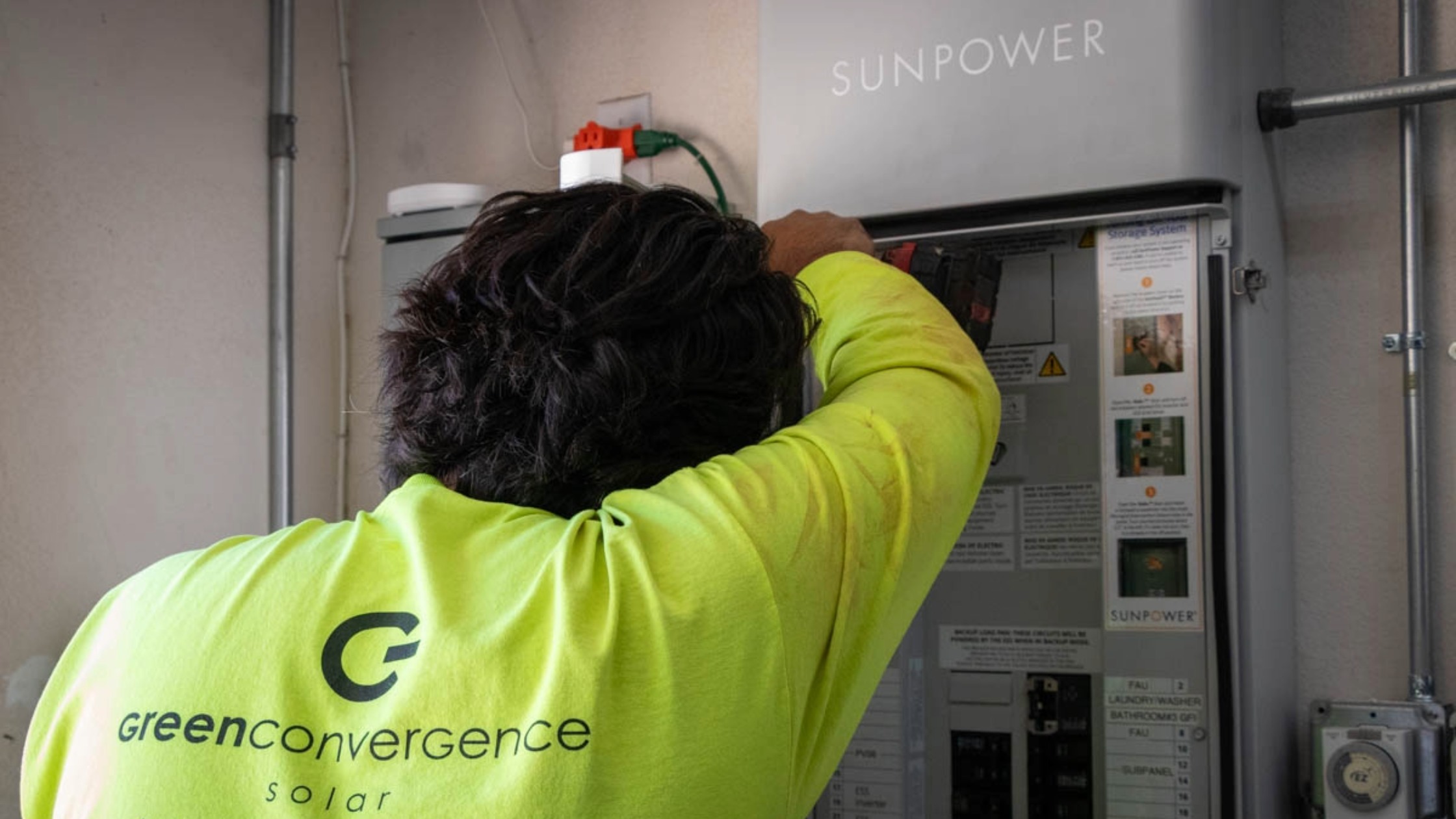
Quick fixes, when to call for help, and how to keep your home battery system reliable during outages
TL;DR: Your home battery backup system isn't charging, draining too fast, or didn't work during the last power outage? Most battery issues aren't actual failures—they're configuration or communication problems. This guide walks you through the 5 most common battery backup issues Southern California homeowners face, what you can safely check yourself, and when it's time to call a professional. Plus: a troubleshooting checklist and maintenance tips to keep your system ready for PSPS events and grid outages.
Your battery backup system was supposed to keep the lights on during the next power outage. But now it's stuck at 20%, not charging like it should, or worse, it didn't kick in at all when the grid went down last week.
Here's the good news: most battery issues aren't actually battery failures. They're usually settings, configurations, or communication problems that can be fixed once you know what to look for. And in Southern California, where we're dealing with PSPS events, time-of-use rates, and an increasingly electrified grid, understanding how your battery behaves can save you a lot of frustration (and money).
Let's walk through the most common battery backup problems we see in Valencia, San Dimas, Escondido, and across SoCal, and what you can safely check on your own before calling in the pros.
How Does a Home Battery Backup System Work?
Before we jump into troubleshooting, it helps to understand what's happening behind the scenes. Your battery backup system isn't just a big battery sitting in your garage, it's a coordinated team of components that work together with your solar panels and the grid.
Here's what's involved:
The battery itself (like a Tesla Powerwall, Franklin WH, or LG Chem) stores energy from your solar panels or the grid so you can use it later, during peak rate hours or when the power goes out.
The inverter converts the DC power from your solar panels and battery into AC power your home can actually use.
The gateway or transfer switch is the brain. It detects outages, tells your battery when to discharge, and manages how your system talks to the grid.
Your critical loads panel (if you have one) is a subset of your home's circuits that the battery will back up during an outage. Not everything in your house may be on backup power, this is intentional to make your battery last longer.
The monitoring app (on your phone or computer) lets you see what's happening in real time, how much charge you have, how much power you're using, and whether your system is online.
Now here's where Southern California gets interesting. Your utility — whether that's Southern California Edison (SCE), San Diego Gas & Electric (SDG&E), or another provider — has rules about how much solar you can export to the grid, when your battery can charge, and how it should behave during outages or grid events. These settings are programmed into your system, and sometimes they change after utility updates or policy shifts.
That means your battery might act differently during normal operation versus a PSPS event versus a regular grid outage. It's not broken—it's just doing what it's been told to do based on the circumstances.
Why Won't My Battery Charge? 5 Common Home Battery Backup Problems
1. Battery Not Charging Even on Sunny Days
You're watching your solar panels crank out power, but your battery is stuck at 30% and won't budge. This is one of the most common calls we get, and it's almost always a settings issue—not a dead battery.
What's usually happening: Your system might be set to "self-consumption" mode, which prioritizes powering your home first and only charges the battery with leftover solar. If your home is using most of your solar production, there's nothing left to store.
Or, your utility has export limits in place, and your battery is being told not to charge during certain hours to avoid grid conflicts. This is especially common with NEM 3.0 customers in SCE and SDG&E territories.
Sometimes it's a communication glitch between your inverter and gateway, or your solar system itself might be underperforming due to shading, soiling, or equipment issues.
What you can check: Open your monitoring app and look at the battery's operating mode. Is it in "backup-only" mode? Time-based control? Check recent alerts. Also, confirm your solar panels are actually producing power, if they're offline, your battery has nothing to charge from.
When to call a professional: If your battery stays stuck after you've verified the settings and solar production looks normal, it's time for a pro to take a look. There could be firmware conflicts, gateway issues, or deeper communication errors that need hands-on diagnostics.
2. Battery Drains Too Fast During Power Outages
The power went out, your battery kicked in, but it was drained in two hours instead of the eight you were promised. What gives?
What's usually happening: Your critical loads panel is probably backing up more than you think. A lot of homes are designed for partial backup, not whole-home backup. If your HVAC, EV charger, electric dryer, or pool pump are on the backup panel, they'll chew through your battery fast.
This is super common in Southern California homes that have recently added heat pumps, Level 2 EV chargers, or upgraded to all-electric appliances. Your battery might have been sized perfectly three years ago, but your home's electrical load has grown since then.
What you can check: Look at your monitoring app during an outage (or simulate one if your system allows it). See which loads are pulling the most power. If your AC is running full blast, that's your culprit. You might need to manually turn off high-draw appliances during outages to stretch your battery life.
When to call a professional: If you've reduced your loads and your battery still drains too quickly, we can run a load audit and help you decide if you need to add more battery capacity, adjust your backup panel, or update your system's settings.
3. Battery Didn't Turn On During Grid Outage
This is the most frustrating one. The grid went down, your battery showed 80% charged, but your house went dark anyway.
What's usually happening: Your gateway or transfer switch didn't detect the outage, or it did detect it but failed to engage the battery. This can happen after firmware updates, especially if your utility recently changed grid-support protocols.
Sometimes the system is set to the wrong operating mode, like "self-consumption" instead of "backup" mode, and won't respond to an outage the way you expect.
What you can check: Look for error codes or alerts in your app. Confirm that your battery is actually in backup mode (not just charging mode). Check that the transfer switch breaker is on and hasn't tripped.
When to call a professional: If your battery repeatedly fails to engage during outages, don't wait. This is a safety and reliability issue, and it usually requires hands-on diagnostics to figure out whether it's a hardware problem, a firmware glitch, or a configuration error.
4. Battery Error Messages and Warning Lights
Your app is lighting up with notifications, or there's a blinking red light on your gateway. Error codes can feel like your battery is yelling at you in a language you don't speak.
What's usually happening: Error codes can mean a lot of things — communication failures, temperature warnings, grid voltage issues, or firmware conflicts. Some are temporary and will clear on their own. Others need professional attention.
What you can check: Document the exact error code or message before you do anything else. Take a screenshot. Check if your internet is working (some errors are just connectivity issues). See if the error clears after a few minutes.
When to call a professional: If the error persists, repeats, or your system goes offline, reach out. Bring us those screenshots, they help us diagnose the issue faster and get your system back online without unnecessary delays.
5. Monitoring App Not Updating or Showing Wrong Data
Your app says your battery is at 0%, but your lights are on and everything seems fine. Or the app hasn't updated in three days.
What's usually happening: This is almost always an internet connectivity issue, not a battery problem. Your system might be running perfectly fine, but if your gateway can't talk to the monitoring servers, your app won't update.
Sometimes it's a software glitch that requires a firmware update or a reset on the monitoring side.
What you can check: Make sure your Wi-Fi is working. Check if other devices in your home can connect to the internet. Restart your router. Log out of the app and log back in.
When to call a professional: If your internet is fine but the app still won't connect, we can check the gateway's network settings and make sure it's communicating properly with the cloud servers.
What Can I Safely Check Before Calling for Battery Service?
Before you schedule a service call, here are a few things you can safely check on your own. These won't fix everything, but they'll help you rule out simple issues—and they'll give us helpful info if you do need to bring us in.
✓ Check your monitoring app for alerts or error codes — Look for any red flags, warnings, or messages. Screenshot anything unusual.
✓ Confirm your internet connection is working — A lot of "battery issues" are just connectivity problems. Restart your router if needed.
✓ Verify breakers and disconnects are on — Check your main battery breaker, solar breaker, and gateway breaker. Sometimes they trip.
✓ Review your battery's operating mode — Is it in backup mode? Self-consumption? Time-based control? Make sure it matches what you expect.
✓ Note any recent outages, PSPS events, or utility work — Sometimes battery behavior changes after grid events or utility updates. Context helps.
What NOT to Do When Troubleshooting Your Battery
⚠ Don't open battery enclosures or try to access internal components
⚠ Don't attempt electrical repairs or bypass safety equipment
⚠ Don't ignore repeated error messages or physical damage—call a pro
When Should I Call a Professional for Battery Repair?
Some battery issues are easy fixes. Others need a trained technician with the right tools, certifications, and access to manufacturer-level diagnostics. Here's when you should reach out for professional service:
- Your battery shows repeated or unresolved error messages that won't clear
- You've noticed a significant drop in backup capacity or runtime
- Your battery didn't engage during the last outage (or multiple outages)
- You're getting firmware or communication failures that persist after restarting
- There's any physical damage—cracks, leaks, swelling, unusual smells, or strange sounds
- Your system has been offline for more than 24 hours with no clear cause
At Green Convergence, we service battery backup systems across Southern California—from our locations in Valencia, San Dimas, and Escondido. If your battery isn't performing the way it should, we'll diagnose the issue, explain what's happening in plain English, and get your system back to reliable operation. No pressure, no jargon, just good service.
Why Regular Battery Inspections Matter in California
Think of battery inspections like oil changes for your car. You wouldn't wait until your engine seizes to get it serviced—you do it proactively to catch small issues before they become expensive problems.
Here's why routine battery checkups are worth it:
Battery degradation is gradual and invisible. Your battery might lose 5–10% of its capacity over a few years, and you won't notice until it fails to get you through an outage. Regular health checks catch this early.
California's utility rules change frequently. Export limits, time-of-use schedules, and grid-support requirements get updated—and sometimes your battery settings need to be adjusted to keep up. According to the California Public Utilities Commission, NEM 3.0 has changed how batteries are incentivized and operated across the state. An annual inspection makes sure your system is optimized for current policies.
Your home's electrical load evolves. You added an EV. You upgraded to a heat pump. Your family grew. Your battery was sized for the home you had three years ago—not the home you have today. We can help you figure out if you need more capacity or if your backup panel needs reconfiguring.
Firmware and software updates matter. Manufacturers release updates to fix bugs, improve performance, and add new features. But if your system isn't being monitored, those updates might not get applied—leaving you with outdated firmware that causes communication issues.
Early detection protects your warranty. Most battery warranties require proof of proper maintenance. Catching issues early and documenting inspections can save you thousands if you ever need a warranty claim.
How to Maintain Your Home Battery System
You don't need to be a solar expert to take good care of your battery. A few simple habits can go a long way toward keeping your system reliable, especially during fire season and winter storms when you need backup power most.
- Schedule an annual battery health check — Once a year, have a pro inspect your battery, verify settings, and run diagnostics. Think of it like an annual physical for your energy system.
- Keep firmware and monitoring software updated — Make sure your system is running the latest firmware. If you're not sure how to check, ask your installer or service provider.
- Test your backup loads before you need them — Don't wait for a real outage to find out your battery won't run your fridge. Do a test discharge once a year to see how long your battery lasts with your current loads.
- Check ventilation and temperature — Batteries don't like extreme heat. Make sure your battery enclosure has proper airflow and isn't sitting in direct sunlight or a poorly ventilated garage.
- Get a pre-fire season and pre-winter checkup — In Southern California, fire season and winter storms are when you're most likely to lose power. Schedule inspections in late spring and early fall so your system is ready when you need it.
Battery Backup Troubleshooting Checklist
Before you reach out for service, run through this quick checklist. It'll help you rule out simple fixes—and if you do need to call us, you'll have all the info we need to help you faster.
☐ Monitoring app status checked (look for alerts or error codes)
☐ Internet connection confirmed (restart router if needed)
☐ Breakers and disconnects verified (battery, solar, and gateway breakers)
☐ Battery operating mode reviewed (backup, self-consumption, or time-based control)
☐ Error codes documented (take screenshots if possible)
☐ Recent outages, PSPS events, or utility work noted
☐ Household backup loads identified (what's on your critical loads panel)
Get Professional Battery Backup Service in Southern California
Battery backup systems are incredibly reliable when they're properly configured and maintained. Most issues aren't failures—they're settings, communication glitches, or load mismatches that can be resolved with the right diagnostics and adjustments.
The best part? Many problems are completely preventable with routine inspections and proactive care. And in Southern California—where PSPS events, wildfire season, and grid instability are part of life—keeping your battery system in peak condition isn't just convenient. It's essential.
If your battery backup system isn't performing the way you expected, or you want to make sure it's ready for the next outage, we're here to help. At Green Convergence, we specialize in keeping solar and battery systems running reliably across Southern California. Whether you're in Valencia, San Dimas, Escondido, or anywhere in between, our team can diagnose the issue, explain what's happening, and get your system back on track.
Frequently Asked Questions
Q: Why won't my home battery charge even though my solar panels are producing power?
A: This usually happens when your battery is in self-consumption mode and your home is using most of your solar production, leaving nothing left to store. It can also be caused by utility export restrictions, incorrect time-of-use settings, or communication issues between your inverter and gateway. Check your app's operating mode and recent alerts to see what's going on.
Q: How long should my battery last during a power outage?
A: It depends on what you're running. If you're only powering a few lights, your fridge, and your Wi-Fi, a typical 13.5 kWh battery (like a Powerwall) can last 12 plus hours. But if your AC, EV charger, or electric dryer are running, you might only get 2 to 4 hours. Most Southern California homes are set up for partial backup, not whole-home backup, so understanding what's on your critical loads panel is key.
Q: Can I fix battery backup issues myself, or do I need a professional?
A: You can safely check your monitoring app, verify breakers, confirm your internet connection, and review operating modes on your own. But if the issue persists—especially if your battery won't engage during outages, shows repeated error codes, or has physical damage—it's time to call a certified technician. Battery systems involve high voltage and complex software, so DIY repairs can be dangerous and might void your warranty.
Q: Why didn't my battery kick in during the last power outage?
A: This is usually caused by a gateway or transfer switch issue—either it didn't detect the outage, or it detected it but failed to engage the battery. It can also happen if your system is set to the wrong operating mode or if there's a firmware conflict after a recent utility update. If your battery repeatedly fails to respond to outages, professional diagnostics are needed to figure out what's blocking it.
Q: How often should I have my battery system inspected?
A: We recommend at least once a year—ideally before fire season (late spring) or winter storm season (early fall). If you've added new appliances, EVs, or made major electrical upgrades to your home, it's worth scheduling an extra checkup to make sure your battery is still sized correctly and your backup loads are optimized.
RELATED ARTICLES:
-
Categories
Customer Service
battery-storage
Our Affiliations


